Start Reconciliation
Follow the steps below to start a bank reconciliation:
Step 1:
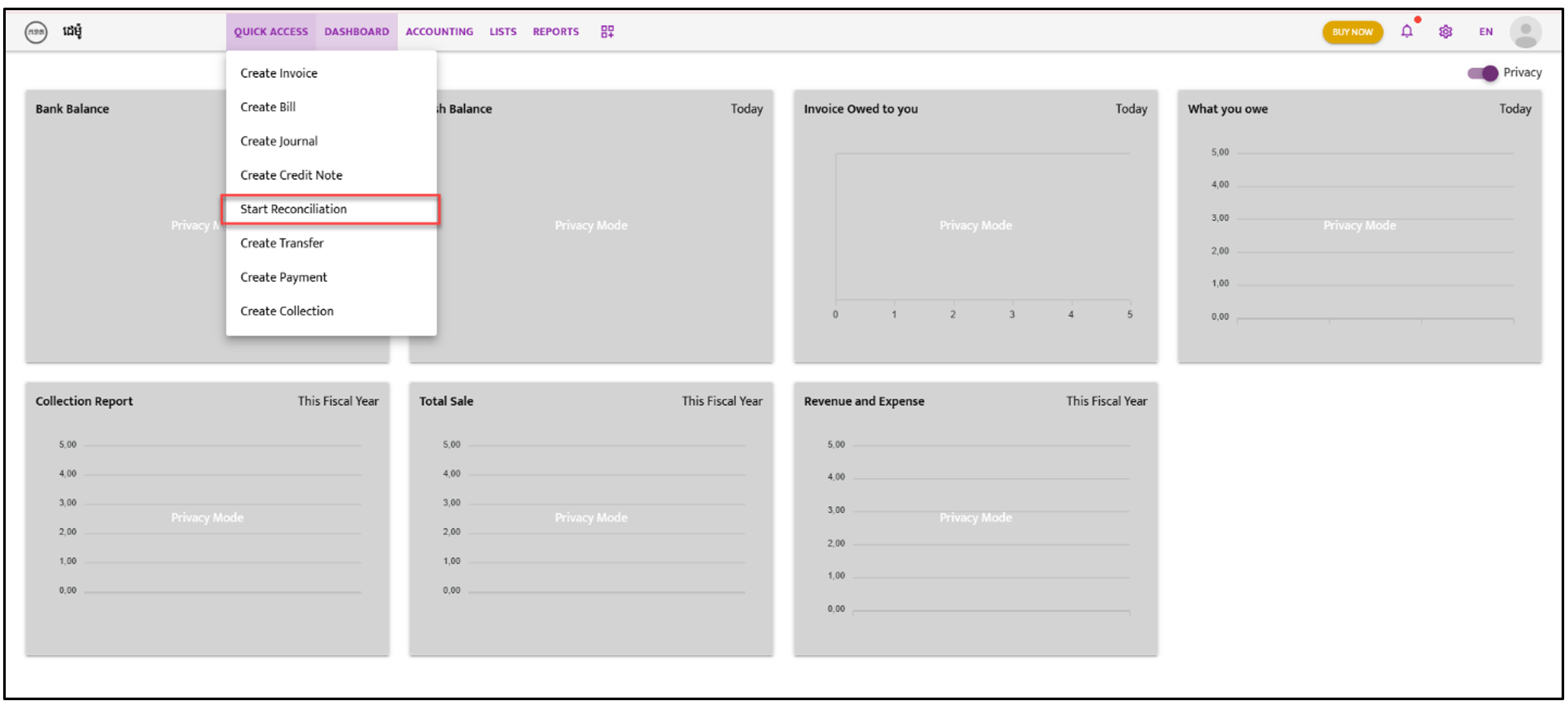
Navigate to “Quick Access”. A dropdown list will appear; select “Start Reconciliation”.
Step 2:
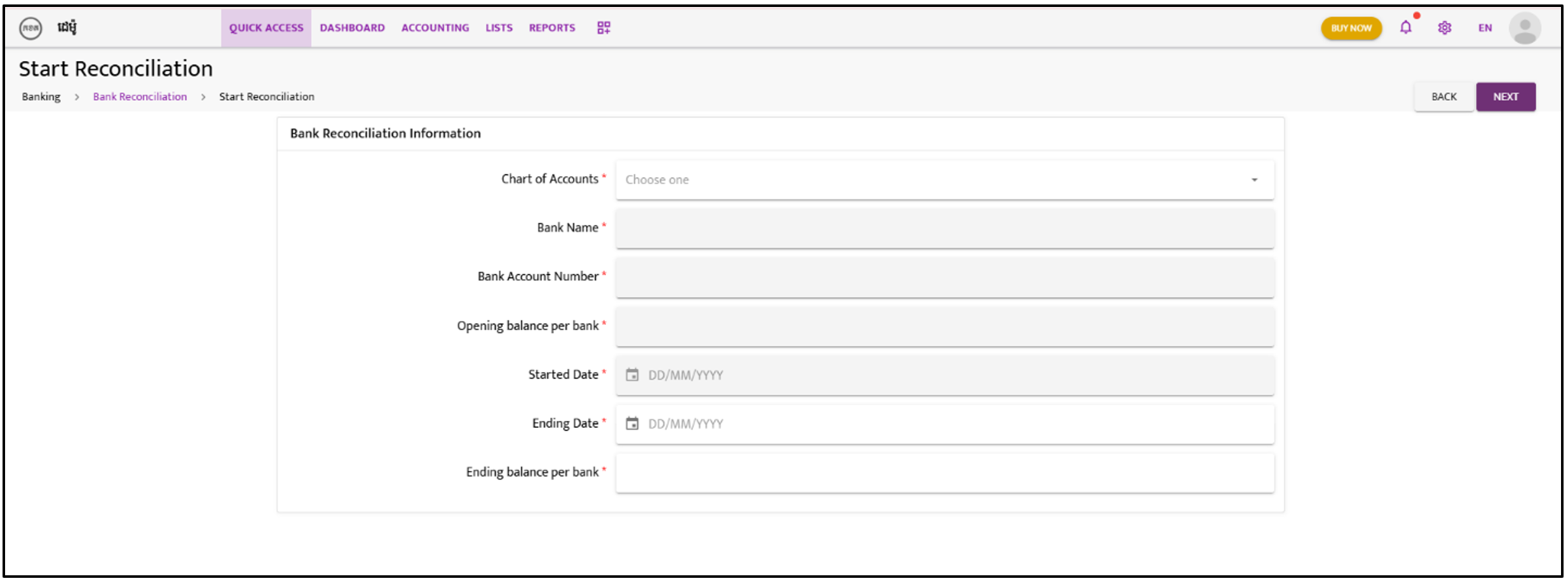
Click on the “Choose one” icon. Open the dropdown list and select the bank for reconciliation.
Step 3:
Once a bank is selected, the grey columns will automatically populate with the relevant data.
Step 4:
Enter the “Ending Date” for the bank reconciliation period (e.g., 30/01/2024).
Step 5:
Enter the “Ending Balance per Bank” according to the bank statement for the ending period.