
Vendors
Follow these steps to create and manage vendor records:
Step 1:
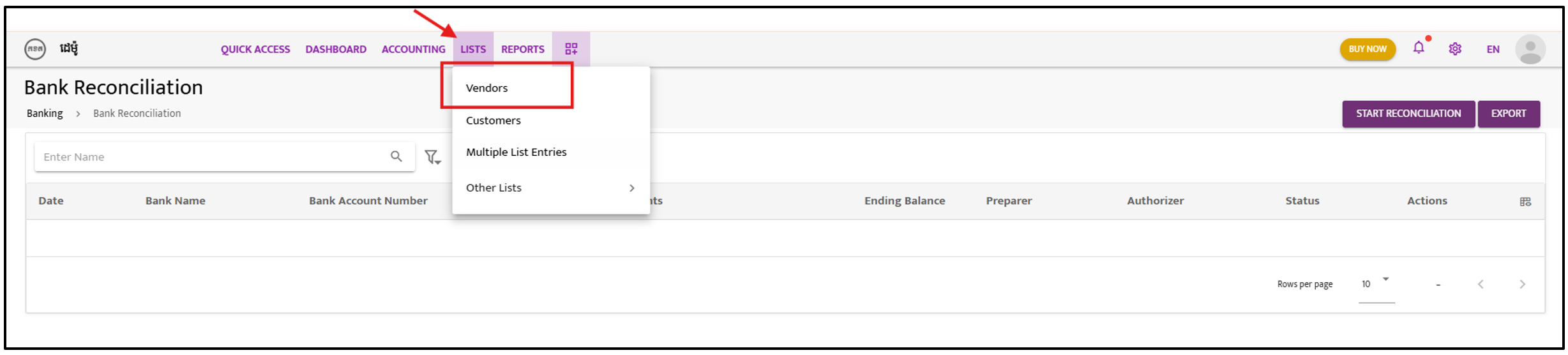
Section titled “Step 1:”Navigate to “List” and select “Vendors” to create new vendor entries.
Step 2:
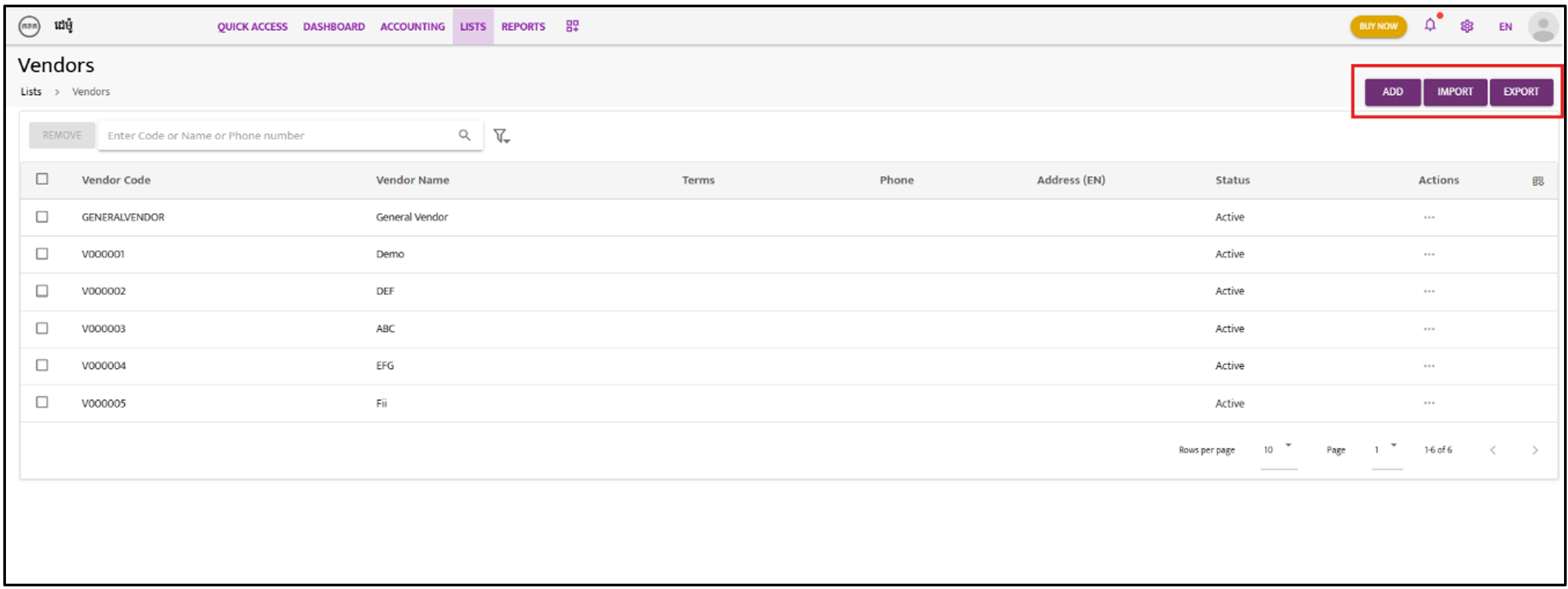
Section titled “Step 2:”Click on “Add” to create a new vendor manually, or use the Import or Export functions to manage all vendor data in bulk.
Step 3:
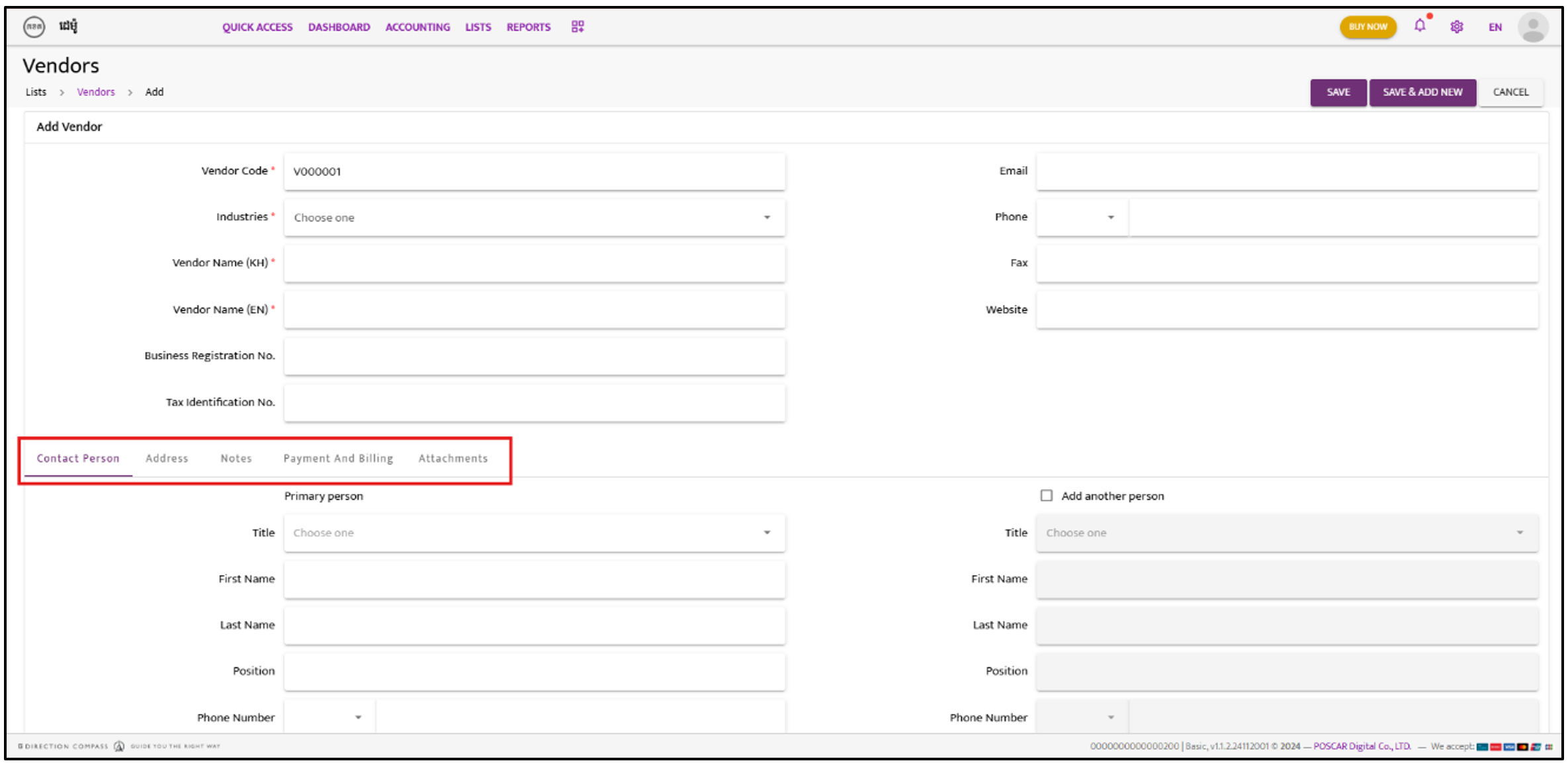
Section titled “Step 3:”If creating manually, click “Add” and fill in the required vendor information.
Step 4:
Section titled “Step 4:”Choose either “Save” or “Save & Add New” to complete the action.