Payment
Follow these steps to create and manage payments:
Step 1:
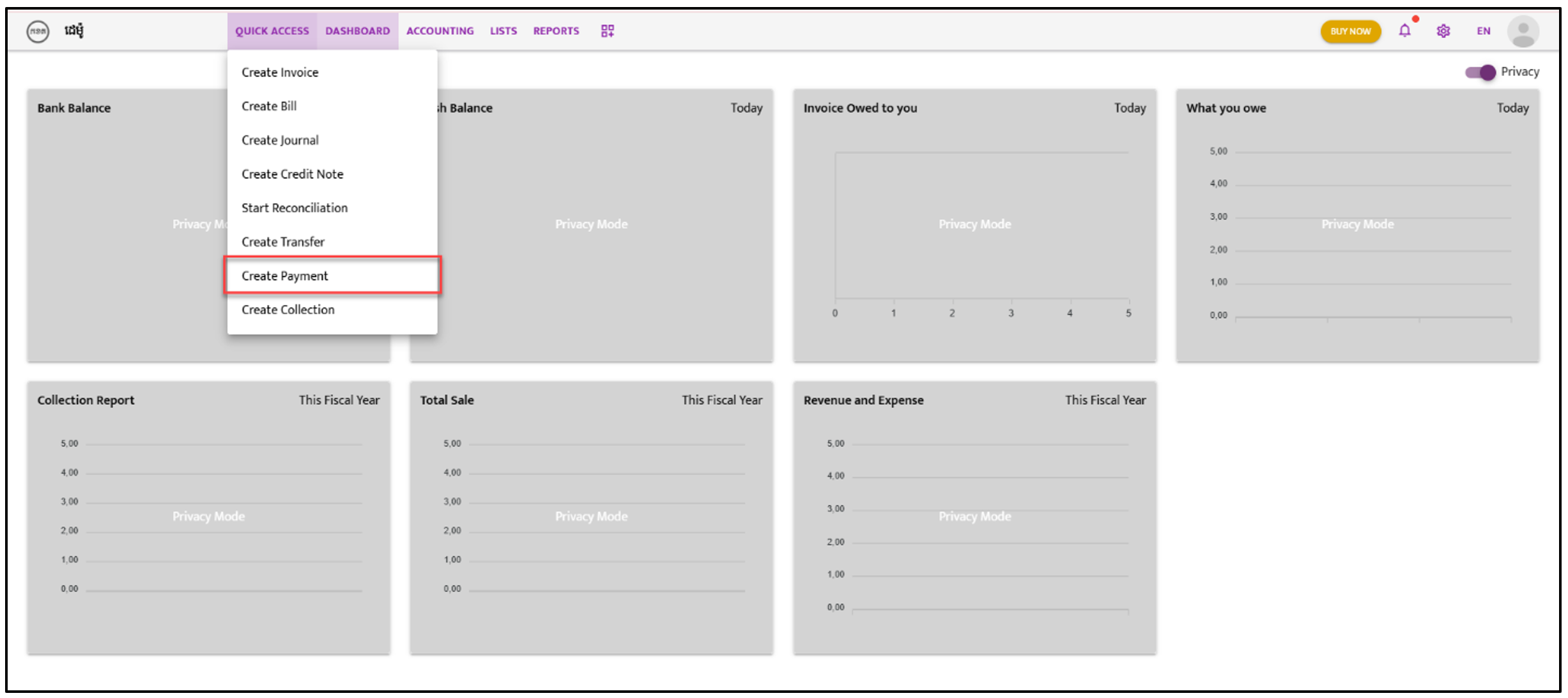
Section titled “Step 1:”Navigate to “Quick Access”. A dropdown list will appear; select “Create Payment”.
Step 2:
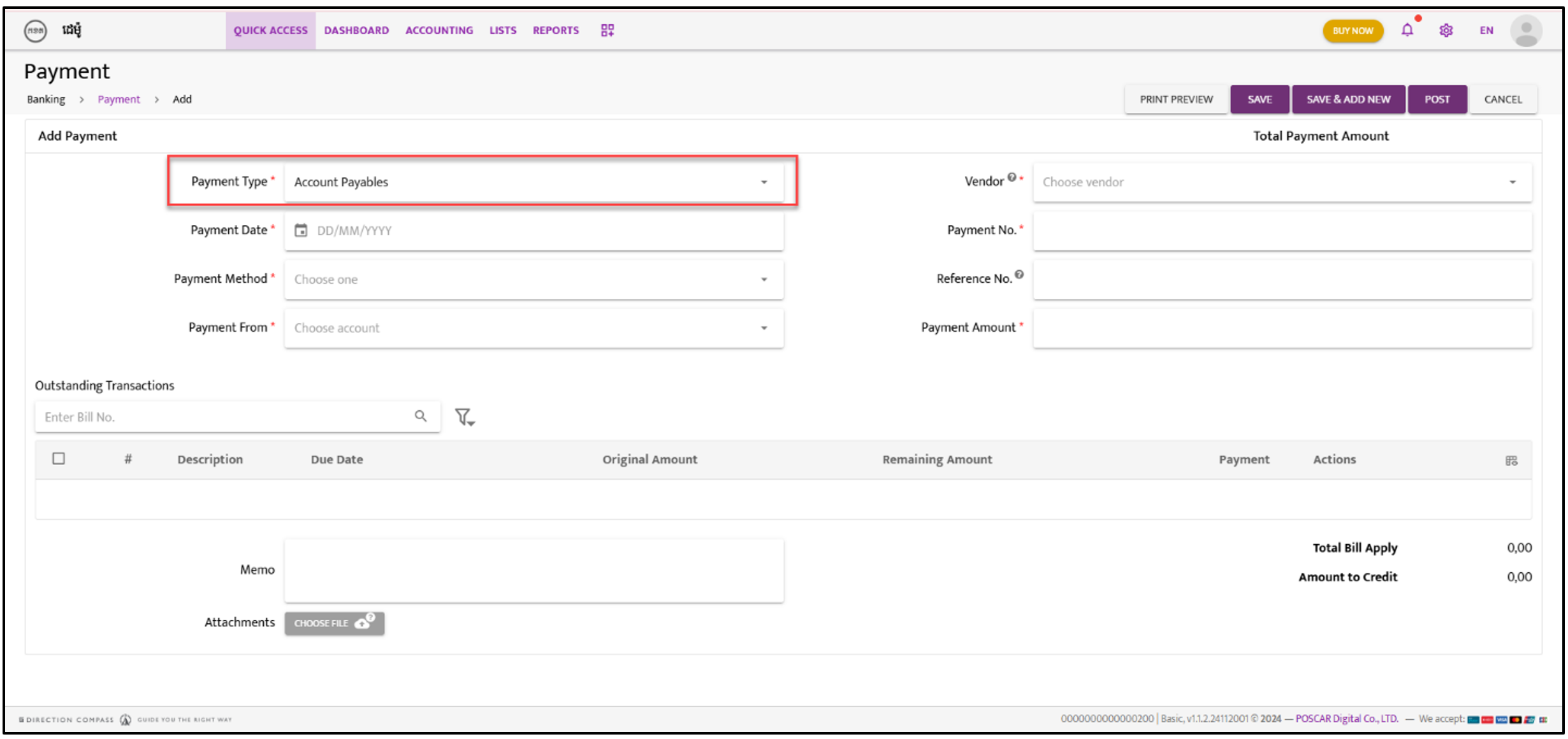
Section titled “Step 2:”The Payment screen will appear. Select “Account Payables” for making payments to suppliers.
Step 3:
Section titled “Step 3:”Click on the “Choose Vendor” icon. Open the dropdown list and select the Vendor Name.
Step 4:
Section titled “Step 4:”Fill in the required information as shown in the snapshot below.
Step 5:
Section titled “Step 5:”Choose either “Save,” “Save & Add New,” or “Post” to complete the action.
Step 6:
Section titled “Step 6:”After saving or posting, the Credit Note list will appear. Click on the “Action” icon and select “Approve” from the dropdown list.